

### Blog Post:
Smart thermostat rebate programs can cut your upgrade costs by $50 or more, but only if you buy a model your utility approves—and if your home’s HVAC system actually supports it. Here’s how to be certain you’ll qualify for the best smart thermostat 2025 rebates before buying.
Key Takeaways
- Most rebates require a new, ENERGY STAR certified, Wi-Fi capable thermostat installed on central A/C, heat pump, or electric heating in a single-family home.
- Qualifying models include ecobee, Nest, Honeywell, Verdant, Emerson Sensi, and Alarm.com-branded Z-Wave system thermostats.
- Utility rules, pre-approval, and installer requirements can differ—always confirm with your provider before buying.
- Quick overview — “Do you qualify for a smart thermostat rebate?”
- Which smart thermostat models qualify for major 2024–2025 U.S. rebates
- Rebate approval criteria — what utilities actually check
- Pre-approval & installer requirements (utilities that differ from the norm)
- Typical rebate values & incentive structures to expect
- Top user complaints and installation compatibility challenges
- How to confirm HVAC compatibility before buying (step-by-step)
- Step-by-step rebate claim process and documentation you must keep
- Fast checklist for “Buy this, claim that” — recommended buys by scenario
- Three specifics top-ranking articles usually miss (editorial must-cover)
- Quick FAQ & template language (for emails to utility/manufacturer)
- Closing: next steps and resources
Quick overview — “Do you qualify for a smart thermostat rebate?”
Before shopping, do this quick test to see if you’re eligible for a smart thermostat rebate:
- Do you pay your utility directly? Most rebates apply only to single-family homes or townhomes, not apartments or homes with sub-metered utilities.
- Do you have central HVAC? Rebates require your thermostat controls a central air conditioner, heat pump, geothermal, or electric heating. Non-central/room-based heaters (like PTACs or baseboards) usually don’t qualify.
- Limit per home: Most rebates allow one or two smart thermostats per household and require installation at the address on your account.
Utilities almost always restrict rebates to new, Wi-Fi-enabled thermostats controlling qualifying systems, installed and registered at the service address. Check your utility’s rules, as apartments and non-central systems are rarely eligible.
Which smart thermostat models qualify for major 2024–2025 U.S. rebates
Only specific thermostats are rebate-approved. Here’s a breakdown of major models you’ll find on utility lists, so you can buy with confidence:
- Honeywell Home/Total Connect: Widely eligible. Popular for compatibility, but some older units aren’t Wi-Fi enabled—always confirm the exact model number.
- Google Nest: 3rd & 4th Gen Learning Thermostat, Nest Thermostat E, and standard Google Nest Learning Thermostat. All ENERGY STAR certified. Easy to claim with most providers.
- ecobee: All “SmartThermostat” models, including Premium, Enhanced, Essential, and classic 3-, 4-, 5-, and 7-series units are frequently approved.
- Verdant VX2/VX4: Especially for electric heat, central HVAC, or hospitality settings; qualified for Santee Cooper’s $50 rebate (source).
- Emerson Sensi Wi-Fi & Sensi Touch: Reliable option for conventional systems, showing up often in utility lists.
- Alarm.com-branded Z-Wave system thermostats: Includes Trane ComfortLink Control, RCS Z-Wave Communicating, GoControl, and others. Some require professional install, specifically for integrated alarm systems (see eligibility).
Always check your utility’s published qualified product list, but these models and brands offer the broadest rebate acceptance for 2024–2025. Need a full comparison? See our best smart thermostat comparison guide for platform-by-platform pros, cons, and links to manufacturer rebate tools.
Rebate approval criteria — what utilities actually check
Almost every program follows this checklist for a smart thermostat rebate claim:
- Must be a new, Wi-Fi capable unit—never used/previously installed.
- ENERGY STAR certified or explicitly listed by your utility (see utility eligibility lists).
- Installed at your registered service address, controlling a qualifying system (central A/C, heat pump, etc.).
- Activated and registered online with the manufacturer—in many cases, you’ll be asked for an activation report or screenshot for proof.
- Documented with a dated purchase receipt (showing SKU/model/retailer).
- Enrollment in a demand-response or “smart rewards” program, if required (utility’s choice).
- Submission of rebate claim (with documents/photos) within 90 days of purchase—this is a hard limit for many rebates (see example).
- Limits: Typically 1–2 thermostats per household per program year.
If you don’t meet all the requirements, the rebate will likely be denied. If your home is on a central system but the HVAC is older or complex, check compatibility with both the thermostat brand and your utility before buying. Some programs also require that you enroll in a seasonal demand response event for extra savings—see our smart energy savings tips for more ways to stack incentives.
Pre-approval & installer requirements (utilities that differ from the norm)
Some utilities have strict pre-approval and installation rules:
- Pepco, Delmarva Power, Potomac Edison: Pre-approval is mandatory before you buy or install the thermostat. You may need to use a utility-approved installer.
- United Power, Santee Cooper, Dominion Energy, NYSEG: No pre-approval generally required—purchase, install, and apply post-installation.
- Alarm-system thermostats: Many require professional installation by a third party—not DIY—especially if they’ll be integrated with monitored security systems.
Always check your provider’s specific policy before making a purchase. For more information, visit our utility rebate preapproval guide or contact your utility directly using the template in the FAQ below.
Typical rebate values & incentive structures to expect
Rebate values and formats vary:
- Flat dollar amounts per thermostat—for example, Santee Cooper pays $50 per verified Verdant VX2 or VX4.
- Percentage-back incentives—Dominion Energy gives at least 20% off approved smart thermostat purchases (higher seasonal offers may be available).
- Seasonal “bonus” windows—Some utilities temporarily increase payouts during energy peak events or pilot demand-response programs.
While $50 is common for major brands, exact rebate values and deadlines can change. Document everything up front and check for local adjustments on your utility’s rebate page to maximize savings. If you want to stack federal incentives, see the DOE and IRS explainer for coordination tips.
Top user complaints and installation compatibility challenges
Not every HVAC setup is compatible with major smart thermostat models—even “universal” options hit snags. Here are the most common issues shoppers run into, with tips on how to avoid them:
| Problem | What Happens | Action |
|---|---|---|
| Missing C-wire (common wire) | Thermostat won’t power on or drops Wi-Fi | Check for a blue wire at both your old thermostat and at the furnace board. See our C-wire guide for workarounds. |
| Multi-stage or communicating system | Smart thermostat can’t properly control advanced HVAC modes | Confirm system staging and protocol with both HVAC and thermostat maker before purchase (see manufacturer tool links below). |
| Alarm system integration | Rebate denied if installed DIY; frequent pro-installation requirement | Ask if your utility allows user install or mandates professional, and for which brands (especially Alarm.com/Z-Wave units). |
| Heat pump configurations | Incorrect thermostat settings can reduce efficiency | Choose a model that prompts for heat pump setup and supports auxiliary heat. |
| Rebate paperwork rejected | Missing, blurry, or incomplete documentation | Photograph every step: box, unit on wall, activation screens, and receipts. |
Manufacturers and utilities stress checking compatibility before buying. See our dedicated HVAC compatibility checklist for photos, diagrams, and tool links.
How to confirm HVAC compatibility before buying (step-by-step)
- Turn off power to your HVAC system.
- Remove your old thermostat cover.
- Take a clear photo of the wire connections and labels.
- Identify:
- Presence of a C-wire
- Number of heating/cooling stages (single vs multi-stage)
- Furnace vs heat pump system type
- If your current thermostat communicates digitally (not simple “on/off” wires)
- Any alarm/security system integration
- Use the manufacturer’s online compatibility checker:
- Check your utility’s eligibility page and qualified product list.
- Contact your utility for pre-approval if required. Attach your HVAC and thermostat label photos in the inquiry.
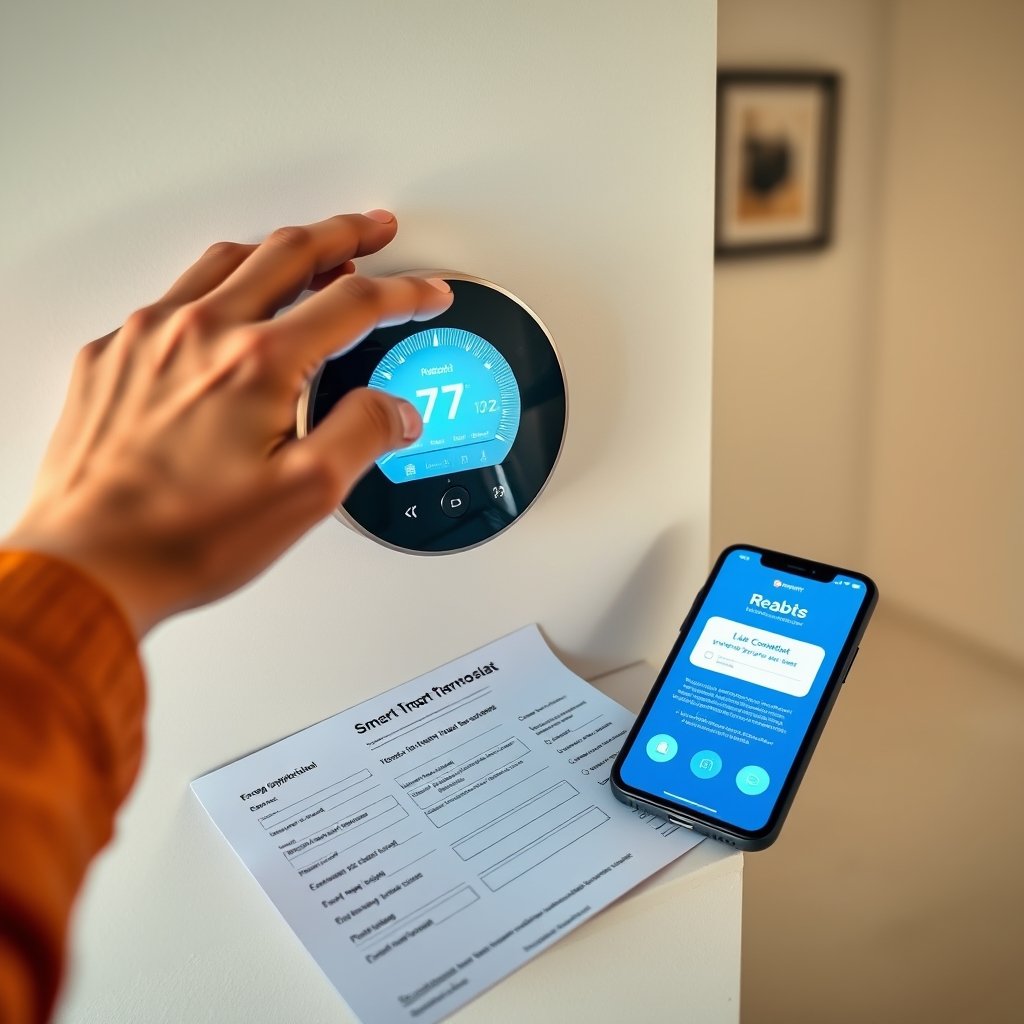
Most utility programs and manufacturers (see DCSEU) advise you to “always check with manufacturer of [your] heating and cooling equipment, as compatibility of smart thermostats may vary.” This means compatibility tools plus your own photos—never assume.
Step-by-step rebate claim process and documentation you must keep
- Get pre-approval if required (Pepco, Delmarva Power, Potomac Edison, and others).
- Buy an eligible thermostat; save receipt/invoice showing full model number and retailer name.
- Photograph installation (show the thermostat mounted on the wall and its serial/model info label).
- Activate/register the device online; download or screenshot the manufacturer confirmation.
- Gather all docs:
- Purchase receipt
- Installation photos (required by many, e.g., Santee Cooper)
- Activation or energy usage report
- Utility rebate form (download from utility site)
- Submit the rebate claim online or by mail within your utility’s program window (typically 90 days). Mark your calendar.
- Check for payee rules and restrictions: Some programs won’t pay the rebate if the thermostat manufacturer or installer is listed as the recipient; it must be the customer/homeowner.
- Track your confirmation and expected payment.
Don’t lose your paperwork—rebates submitted after the deadline, or with missing documentation, are almost always denied. For more on the full rebate claim workflow, see our rebate documentation checklist.
Fast checklist for “Buy this, claim that” — recommended buys by scenario
- For easiest, widest eligibility: ecobee SmartThermostat Premium or Google Nest Learning Thermostat—both ENERGY STAR, both on almost every utility’s list, extensive manufacturer compatibility support, and easy DIY install.
- For alarm-system integrated homes: Alarm.com-branded Z-Wave thermostats (e.g. Trane ComfortLink Control, GoControl), but confirm pro installation and utility rules first.
- For heat pump systems: Both ecobee and Nest lines allow detailed heat pump setup; check with your HVAC installer if you need multi-stage or auxiliary heat options.
- For electric heating or hospitality: Verdant VX2/VX4 for dedicated rebates and central electric systems (especially Santee Cooper).
Synthesized data across 2024–2025 utility lists shows the above brands (ecobee, Nest, Honeywell Home, Verdant, Emerson Sensi, Alarm.com/Z-Wave) are most frequently approved for smart thermostat rebate programs. For the best smart thermostat 2025 pick that checks nearly every eligibility box, look to ecobee Premium or Google Nest Learning Thermostat as top choices.
Three specifics top-ranking articles usually miss (editorial must-cover)
- Pre-approval and installer rules are highly variable. Some utilities (Pepco, Delmarva Power, Potomac Edison) require pre-approval and/or a “trade ally” installer, which can invalidate your rebate if ignored.
- The 90-day clock and household limits are strict. Waiting too long or exceeding the per-home limit means no rebate, even for eligible thermostats.
- Alarm-system thermostat rules complicate rebates. In many cases, alarm-integrated thermostats must be installed by a third party, and the manufacturer cannot be listed as payee—otherwise, your claim may be denied. Example: Santee Cooper’s policy.
Don’t fall into these traps—review your utility’s exact program terms and double-check installer and documentation requirements.

Quick FAQ & template language (for emails to utility/manufacturer)
Copy-and-paste questions for your utility or manufacturer
- Is pre-approval required for a smart thermostat rebate at my address?
- Which exact thermostat models/SKUs are eligible?
- Can I self-install, or is a professional/trade-ally install required?
- What proof is needed for activation and registration?
- What is the rebate deadline window and per-home limit?
Sample email template:
Hello,

I am interested in the smart thermostat rebate for my home at [your address]. Can you confirm:
- If I need pre-approval or trade-ally installation,
- Which smart thermostat models (exact SKUs) qualify for rebates,
- What documentation/proof is required for the claim,
- Any important rules such as claim window (e.g., 90 days) or per-household limits?

Thank you,
[Your Name]
Most utility responders will reference their qualified products list and specify registration/activation requirements in line with DCSEU’s FAQ.
Closing: next steps and resources
For the best chance at a successful smart thermostat rebate claim, start by checking your utility’s rebate page and matching it against vendor eligibility lists. Double-check HVAC compatibility using the manufacturer’s tool—and never skip saving receipts and taking installation photos.
Action items:
- Download our one-page smart thermostat checklist for in-store and installer questions.
- Review local rebate requirements (example) before buying.
- When in doubt, use the above template to confirm eligibility in writing with your utility.
Utility rules and rebate values change often: some offer flat $50 smart thermostat rebates, others a percentage of cost, and deadlines are enforced (often 90 days post-purchase). Make sure your system and paperwork are aligned for smooth approval.
Frequently Asked Questions
Do I need a C-wire for every smart thermostat to qualify for a rebate?
Not always, but most Wi-Fi smart thermostats require a C-wire or a power extender kit. If your HVAC system does not supply a C-wire, check if your chosen model includes a C-wire adapter or contact your installer. Your rebate does not depend on a specific wire, but the thermostat must operate correctly and remain online to be eligible.
Can I claim a rebate if I installed the thermostat myself?
Many utilities allow DIY installation, but some—especially with Alarm.com/Z-Wave thermostats or in areas like Pepco or Potomac Edison—require professional installation. Always check your utility’s program rules to avoid claim rejection.
How quickly do I need to submit my rebate application?
Most programs require you to apply within 90 days of purchase or installation. Late applications are typically denied, even if the thermostat qualifies. Mark your calendar and submit early.
Is it possible to combine a utility rebate with other incentives, such as tax credits?
In some cases, yes, but you must check both utility and IRS guidelines. See the DOE/IRS rebate explainer for more on stacking benefits.
How do I know if my HVAC system is compatible with a smart thermostat?
Use the manufacturer’s compatibility checker, take photos of your current thermostat wiring, and review your system’s manual. For more, read our HVAC compatibility checklist or request help in-store.
—